
How we built an interactive 3D website with MediaPipe, Three.js and Blender
Using MediaPipe, Three.js and Blender with head tracking, hand gestures and baked lighting for performance.

I recently started collaborating with the very talented Mael Ruffini, he’s in Paris, I’m in Bristol, and while we’d love to share a physical studio someday, we decided to build a digital one first.
So we created an interactive 3D website that lets you step inside a virtual Rhumb Studio. Think exposed wood, art on the walls, great sound system, and a space you can actually look around using your head — not just your mouse.
After seeing a project built with MediaPipe and Three.js by Ian Curtis, we decided to create our own interactive 3D website — something playful that lets you actually feel inside the space.
What is the interactive 3D website?
The goal was simple: build a shared digital studio that feels immersive rather than just visual.
Instead of navigating with a mouse alone, we wanted users to interact naturally — using their head movement and hands.
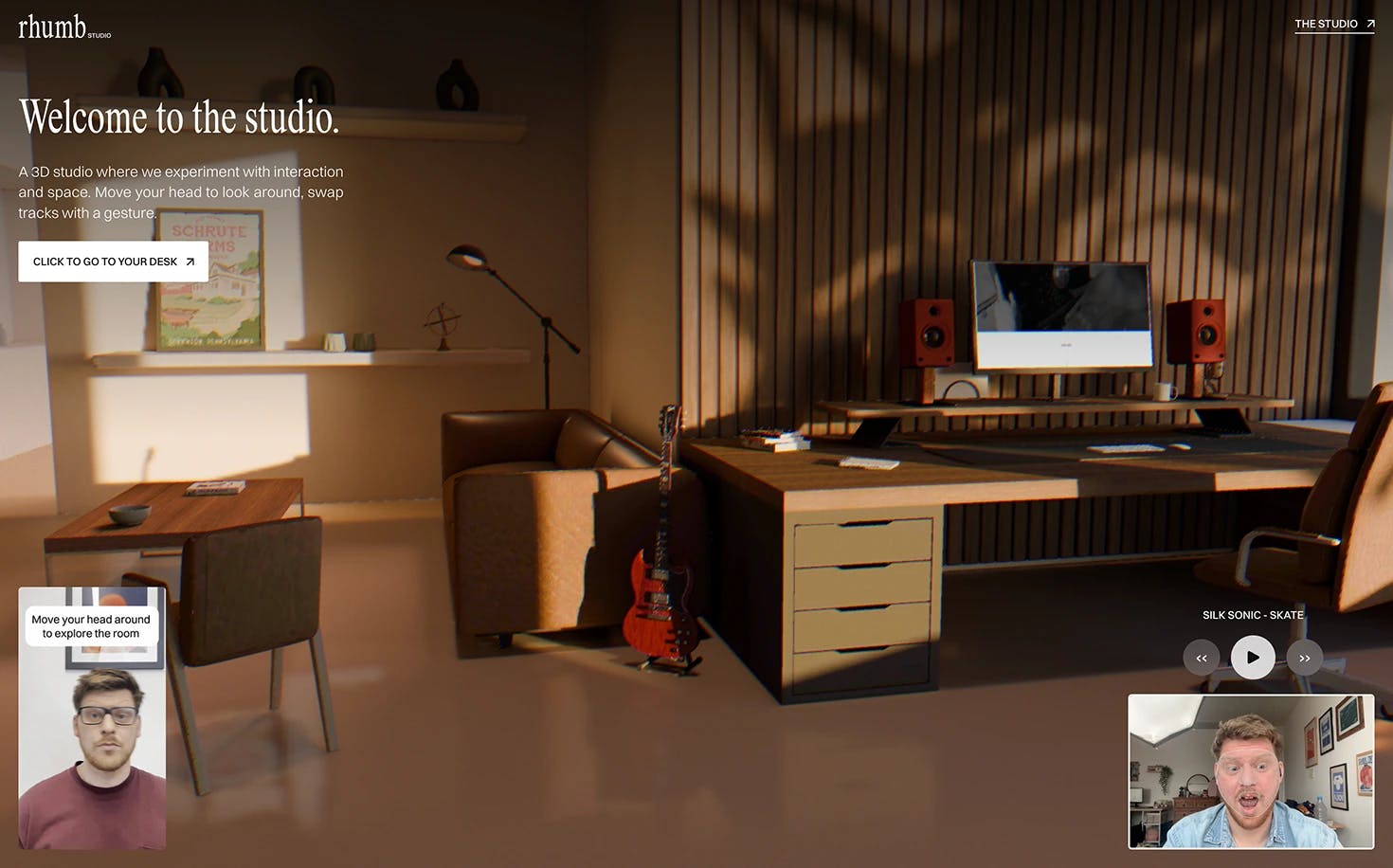
So the experience lets you:
- Look around the room using head tracking with MediaPipe
- Change music using hand tracking gestures
- Explore a fully modelled 3D environment built in Blender and rendered with Three.js
It’s experimental but it shows how web interactions can feel much more physical.
Step 1 — Modelling the 3D studio in Blender
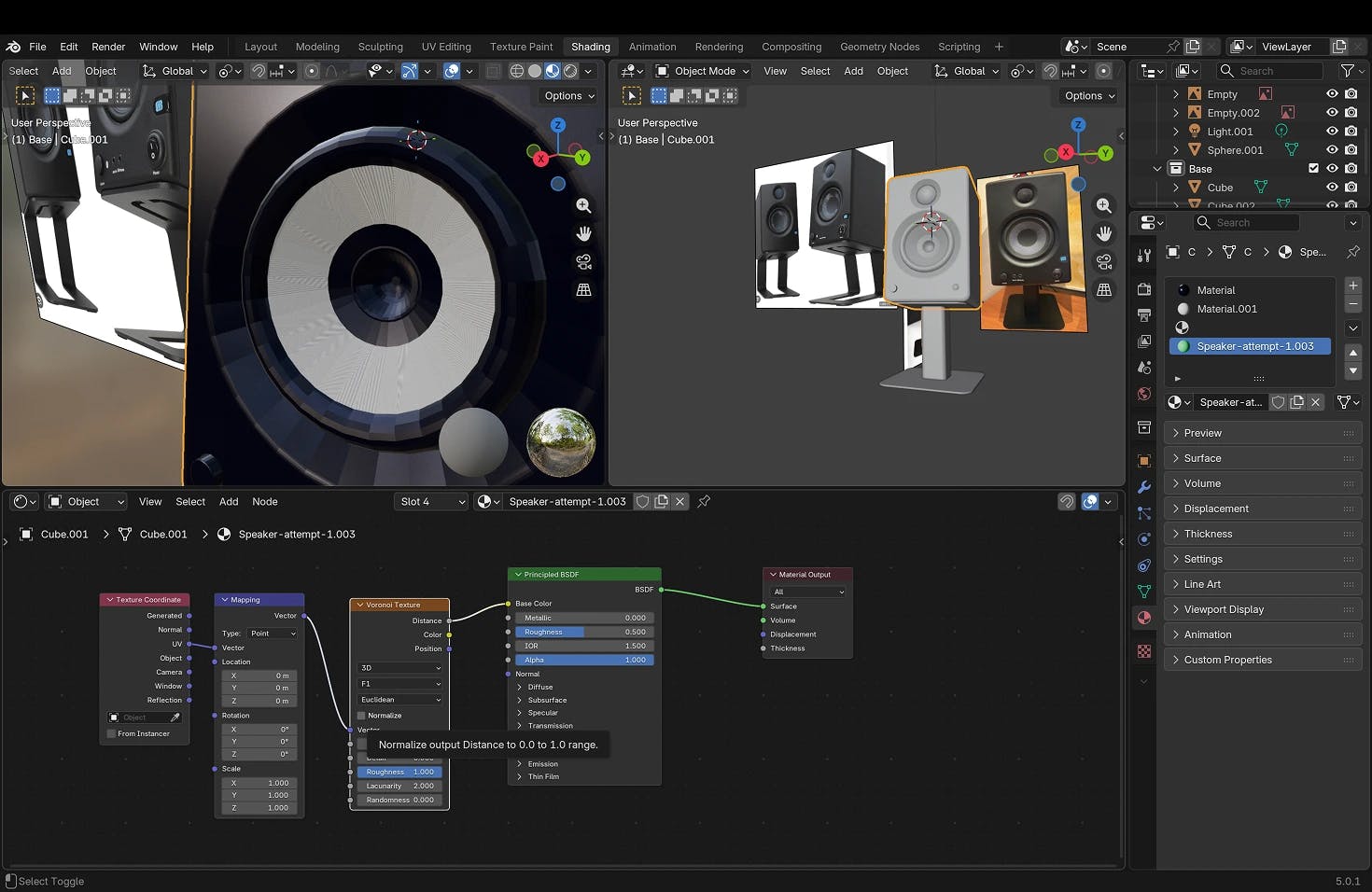
The process started in Blender, where we built the full studio environment.
We reused elements from previous Rhumb Studio projects - desks, chairs, and props - so we could focus on the mood, lighting and composition rather than building everything from scratch.
The goal here wasn’t perfection. We needed something to load quickly on the web but also realistic enough to feel like you're in an immersive experience.
Soft shadows, reflections, and materials do a lot of the heavy lifting to make the scene feel believable.
Step 2 — Baking lighting and textures for performance
To make the 3D website run smoothly in a browser, we baked the lighting into textures inside Blender.
This means:
- Lighting and shadows are pre-rendered
- The browser doesn’t need to calculate complex lighting in real time
- Performance stays smooth even on less powerful devices
It’s one of the key techniques that makes detailed Three.js scenes viable on the web.
Step 3 — Building the web experience with Three.js and Next.js
Once the scene was optimised, we imported it into a Three.js setup running inside a Next.js site.
The site itself is intentionally simple, most of the complexity lives in the 3D scene.
Using Three.js instead of a visual tool gave us:
- More control over performance
- Custom interaction logic
- Flexibility to experiment
It’s a bit more work upfront, but much more powerful for custom experiences.
Step 4 — Adding MediaPipe for head and hand tracking
MediaPipe is what makes the experience feel alive.
We use it to:
- Track the user’s face to move the camera
- Detect fingers to trigger music tracks
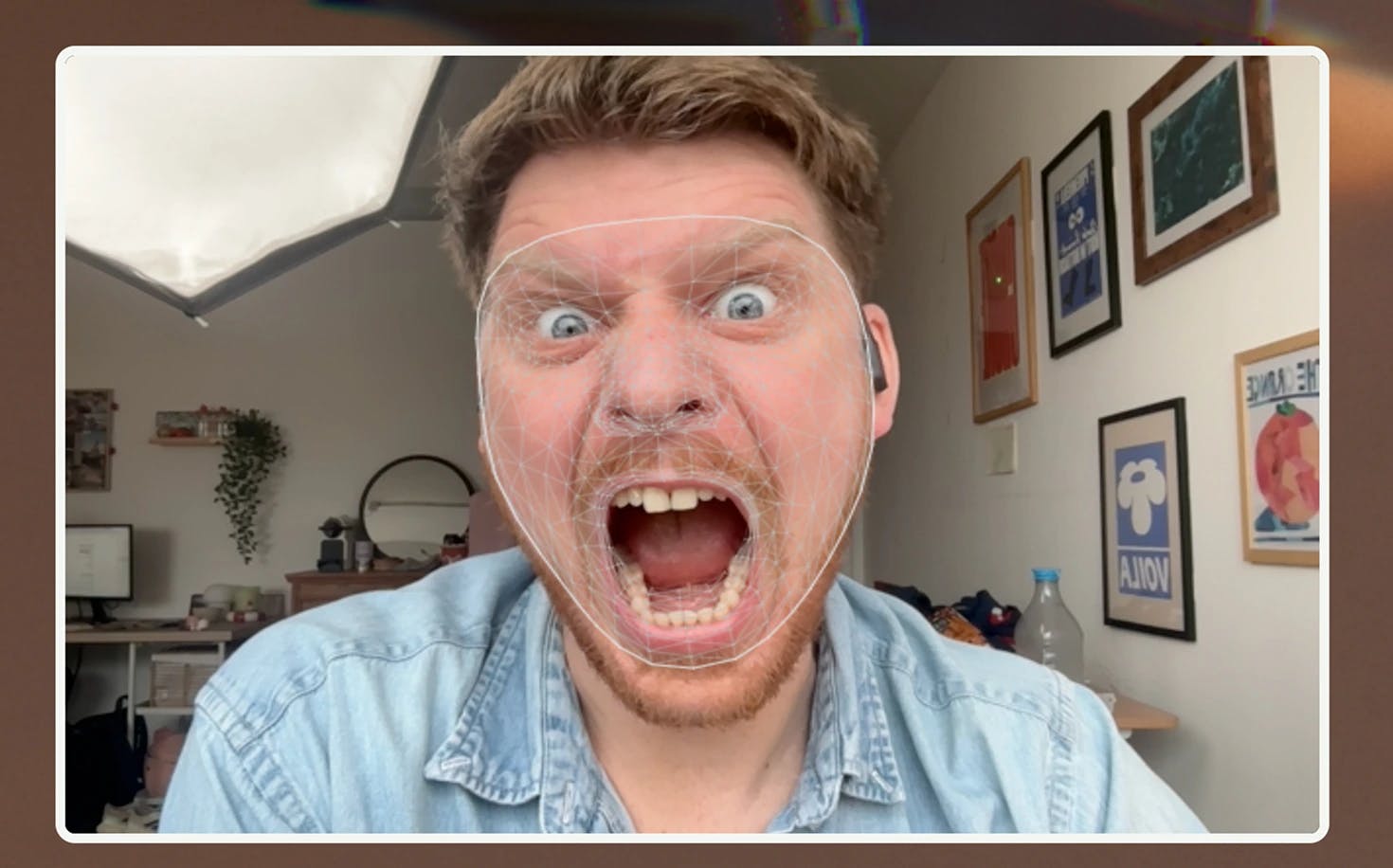
The head tracking creates the illusion of being physically present in the space, while the hand gestures add a playful interaction layer.
It’s not strictly necessary, but it’s the part that makes people go “oh wow”.
Why we’re experimenting with immersive web experiences
Tools are making it easier than ever to generate standard websites.
That’s great, but it also means the interesting creative space is shifting toward interactive and immersive experiences that can’t be templated as easily.
Projects like this let us:
- Explore new interaction models
- Push creative boundaries
- Learn emerging tech like computer vision on the web
And honestly, they’re just fun to build.
What we’d like to build next
The next iteration of the project will likely include:
- Dynamic lighting that changes based on time of day
- More MediaPipe-driven interactions
- Potentially a shared digital coworking environment
The long-term idea is to keep pushing toward web experiences that feel closer to being “present” rather than just browsing.
Final thoughts
This project started as a simple idea, build a digital studio we’d want to hang out in, and turned into a full interactive 3D website experiment.
Huge credit to Mael Ruffini, who built the vast majority of the technical implementation. I mainly modelled the speakers and threw ideas around.
Seeing the final site working for the first time was one of those moments where you realise how far web experiences have come, and how much further they can go.
More experimental projects coming soon.
Written by Jack Redley
2026-02-18